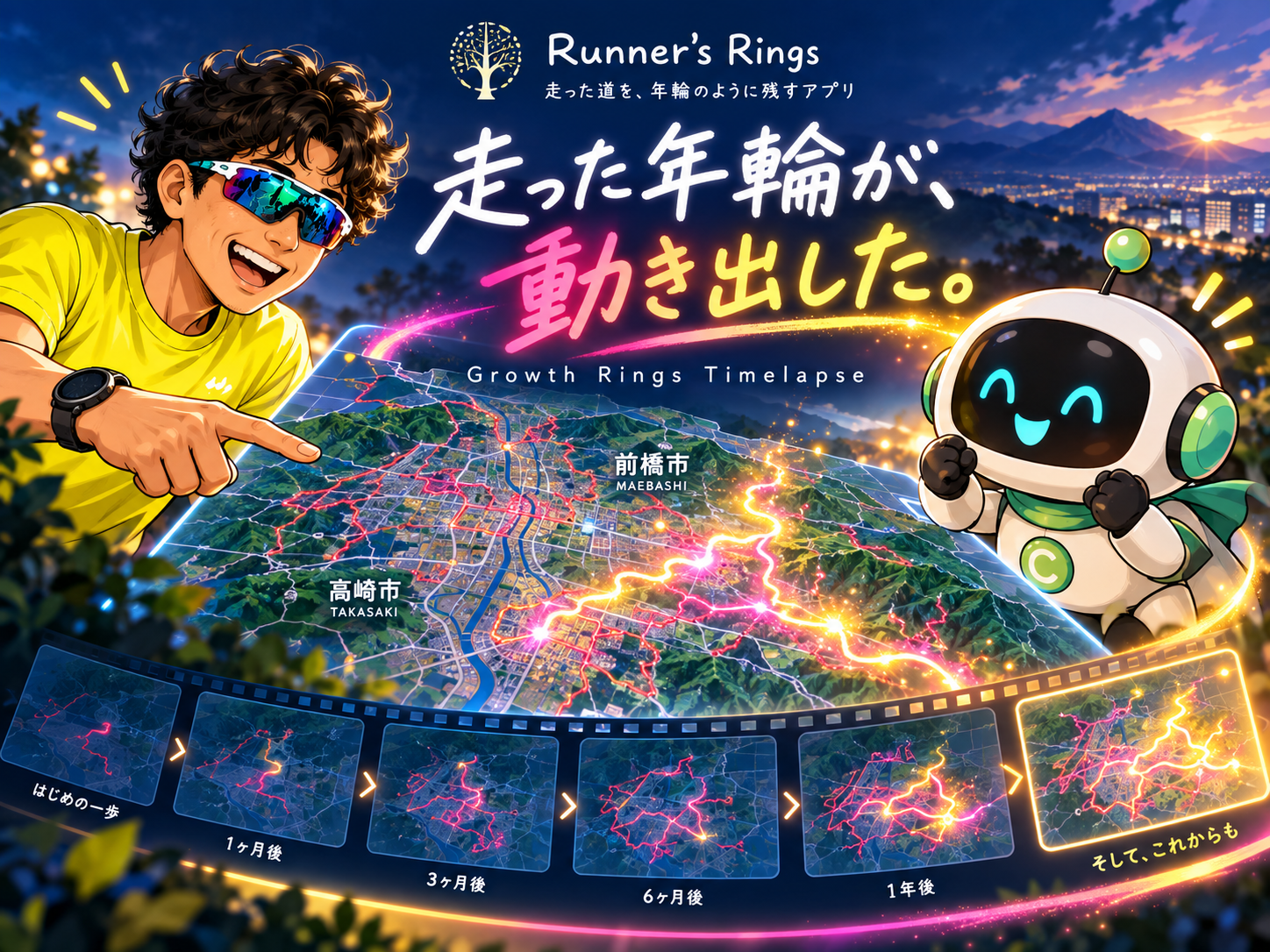
Your Growth Rings Come to Life — Growth Rings Timelapse Is Here
Growth Rings Timelapse brings your running history to life. Starting from an untouched map, your routes and explored regions gradually appear month by month or year by year. With shareable video support, Runner’s Rings can now preserve not only where you ran, but how your running journey grew over time.
From the beginning of Runner’s Rings, one idea has mattered more than anything else:
“Don’t just save your runs. Save your running life.”
Runner’s Rings was created to bring every road you have run together on one map, allowing your journey to build up like the growth rings of a tree.
But after looking at those completed maps, another question came to mind:
“What if we could watch those growth rings grow?”
That idea became Growth Rings Timelapse.
Starting from an untouched map
The timelapse begins with a map showing no running data.
Then, month by month or year by year, your history begins to appear.
In Route mode, the roads you actually ran gradually build across the map.
In Area mode, the cities and regions you explored begin to spread.
A finished map can show where you have been.
A timelapse can show how you got there.
You may notice periods when you kept returning to the same roads, or the exact moment when your running world suddenly became bigger.
Turning it into a shareable video was the hard part
Playing the timelapse inside Runner’s Rings worked fairly quickly.
Turning it into a video on an iPhone was another story.
The first exported version had a major problem:
The running routes disappeared.
The map was there, but the most important part — the roads that had been run — was missing.
Then came more problems:
too much empty space,
a different map scale from the one on screen,
a black opening frame,
and a video that still did not quite feel ready for social media.
So Chappy and I worked through them one by one.
Instead of trying to capture the visible Leaflet map directly, the sharing system was rebuilt so that the map and GPS routes are drawn directly onto the video canvas.
That finally kept the routes visible.
Your map view becomes the video
We also changed how the video chooses its map view.
Runner’s Rings does not automatically decide what area you should show.
Instead, you first position and zoom the map exactly where you want it.
When you create the video, that center and scale are used for the timelapse.
Your city.
Your favorite running area.
Your map.
The shared video is also formatted vertically in a 4:5 layout, making it easier to use on social media.
Adding a little visual magic
Once everything worked, there was one more thought:
“Could it feel just a little more alive?”
So we added a small animation.
Whenever a new route appears, that newly added road briefly glows in pink, yellow and white before settling into the accumulated map.
Area mode does the same thing when a newly explored region is added.
It is intentionally subtle.
The goal is not flashy video editing.
It is simply to show the moment when another growth ring is added to your running life.
More than distance
10 km.
200 km in a month.
A new personal best.
Running gives us plenty of numbers to remember.
They matter.
But Runner’s Rings is trying to preserve something else as well.
The roads you slowly added.
The towns you discovered.
The streets you ran again and again.
The months when you could not run.
The day you started again.
Together, those moments create a map.
Growth Rings Timelapse lets you see not only the finished map, but how that map grew over time.
Runner’s Rings is still growing too.
This feature started with a simple thought — “Wouldn’t this be fun?” — followed by testing, mistakes, fixes, more testing, and plenty of conversations with Chappy.
Just like a runner’s map, Runner’s Rings itself continues to add new growth rings.
And I’m looking forward to seeing what the next one becomes.
Map the life you run.